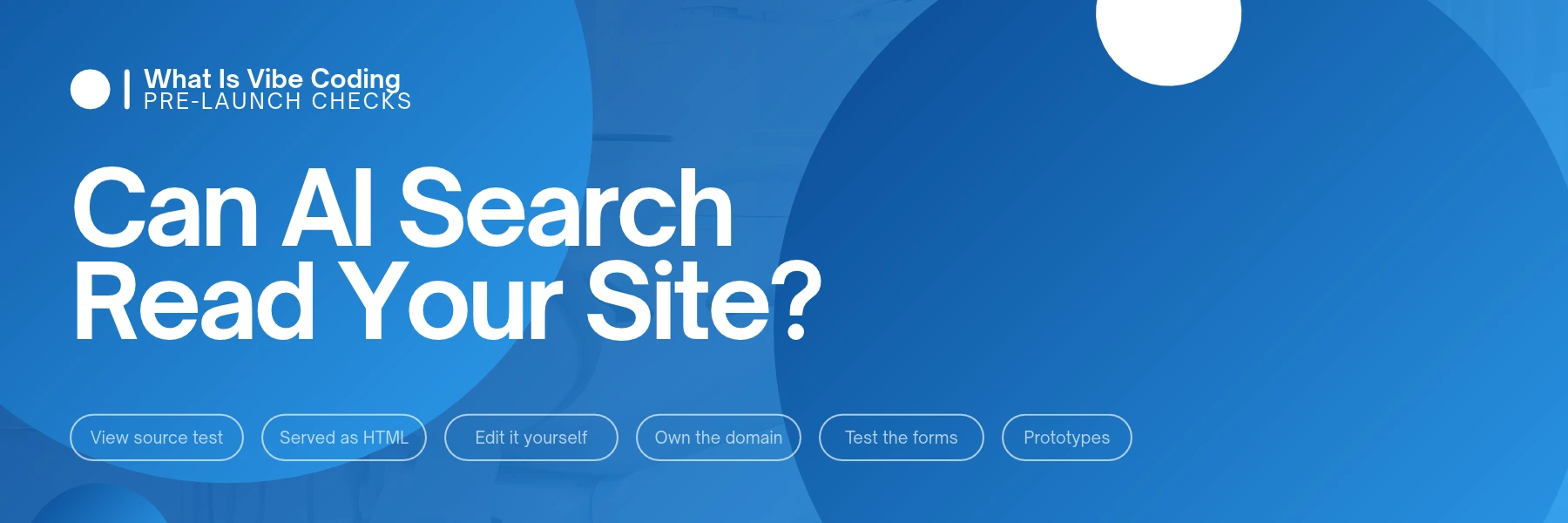
What is vibe coding? It’s building software by describing what you want in plain English, letting an AI tool write the code, and judging the result by whether it works rather than by reading the code. Our verdict: vibe code the prototype, the mock-up or the internal tool, but don’t let it become your business website until it passes four checks. The first check takes 30 seconds. If your phone number isn’t in the page’s source code, the AI crawlers that feed tools like ChatGPT and Claude may never see it.
Key takeaways
- Vibe coding is fast and cheap for prototypes, mock-ups and internal tools.
- A Vercel and MERJ analysis found none of the major AI crawlers it tracked render JavaScript.
- Google does render JavaScript, but its own guide says not all bots can.
- Before launch, your phone number, suburb and main service must be readable in the page source.
- Own the domain and hosting accounts, and make sure you can edit the site yourself.
What is vibe coding?
The term was coined in February 2025 by AI researcher Andrej Karpathy. You describe the thing you want, an AI tool writes the code, you run it and see what happens. If something’s off, you describe the fix. You might never open the code at all. That’s the “vibe” part: you go with the result.
It isn’t the same as a developer using AI. A developer reads, tests and owns every line the AI suggests. Vibe coding skips the reading.
People use it for landing pages, booking forms, dashboards and full websites. A first version can be on screen in an afternoon, which is why it tempts owners who need a site.
We use Claude Code in our own agentic workflow, so we’re all for AI writing code. The question worth asking is what that code sends to the people and machines that visit your site.
Why can a vibe-coded website look blank to AI search?
A web page reaches a visitor in one of two ways.
- Served as HTML. The server sends a finished page. Your headings, phone number and service list are in the file from the first byte.
- Built in the browser. The server sends a near-empty shell plus JavaScript files. The visitor’s browser runs the JavaScript, and the JavaScript builds the page.
A person on a phone can’t tell the difference. A crawler that doesn’t run JavaScript gets the shell.
That matters because of who’s crawling. In a December 2024 analysis of crawler traffic across Vercel’s network, Vercel and MERJ found that none of the major AI crawlers rendered JavaScript. That list included OpenAI’s crawlers, Anthropic’s ClaudeBot, Meta’s, ByteDance’s and PerplexityBot. The ChatGPT and Claude crawlers did download JavaScript files. They just didn’t run them.
There were two exceptions in that study. Google’s Gemini uses Googlebot’s infrastructure, which renders pages in full, and Apple’s crawler renders through a browser-based system.
Google itself processes JavaScript sites by crawling, rendering and then indexing them, and a page can sit in the rendering queue for a while. Even so, Google’s JavaScript SEO guide says “server-side or pre-rendering is still a great idea because it makes your website faster for users and crawlers, and not all bots can run JavaScript.”
The Vercel study is from late 2024, and crawlers change. We found no newer public statement from the AI companies saying their crawlers now run JavaScript, but it’s worth re-checking each year.
Did your AI tool build the site the second way? That depends on the tool and on what you asked for. Don’t guess. Test it.
For the wider picture, see what AI search means for SEO.
How do I check my website in 30 seconds?
You don’t need to read code, just Chrome on a computer.
- Open your homepage in Chrome.
- Press Ctrl + U on Windows, or Command + Option + U on a Mac. Chrome opens the page’s raw HTML source in a new tab.
- Press Ctrl + F (Command + F on a Mac) and search for your phone number, typed exactly as it appears on the page.
- Search again for your business name, your suburb and your main service, such as end of lease cleaning.
- Repeat on your main service page and your contact page.
For a second opinion, switch JavaScript off and look at what’s left.
- Open Chrome DevTools: F12 on Windows, Command + Option + I on a Mac.
- Press Ctrl + Shift + P (Command + Shift + P on a Mac) to open the Command Menu.
- Type javascript, choose Disable JavaScript and press Enter.
- Reload the page. What you see is close to what a crawler that doesn’t run JavaScript gets.
- When you’re done, run Enable JavaScript the same way and close DevTools.
What you find | What it likely means | What to do |
|---|---|---|
Phone, suburb and service in plain, readable text | The page is served as HTML | Good. Do the other three checks |
Details only inside a block of code | Some crawlers may read it, others may not | Ask for the details in the visible page text |
Details missing; the source is mostly script tags | The page is built in the browser | Ask for server-side rendering or pre-rendering, or rebuild the key pages |
Some pages pass, others don’t | A mixed build | Fix the pages that earn money first: home, services, contact |
A hypothetical example. Take a hypothetical end of lease cleaner in Melbourne who asks an AI tool for a website over a weekend. It looks sharp on her phone. In the source, though, the homepage holds a title, one empty container and three script files. Her phone number, suburbs and services all arrive after the JavaScript runs.
Google can render that page, though not always straight away. A crawler that doesn’t run JavaScript gets a title and nothing else. When someone asks an AI assistant for an end of lease cleaner in her area, it has nothing from her own site to work with.
What should a vibe-coded website pass before it goes live?
The view-source test is the first of four. A site can be perfectly readable and still leave you stuck.
- It’s served as real HTML. Your key details show up in the source on the home, service and contact pages, and each page has its own title and description.
- You can edit it yourself. Opening hours, prices, a new service, a staff change. If every edit means prompting the tool again or paying whoever holds the login, you’ve bought a dependency along with the site. A common complaint among owners after an AI-built launch is that they can’t update it themselves.
- You own the accounts. The domain is registered to your business and you hold the login. The hosting or app account is in your name too, not a freelancer’s or a trial account on someone else’s card.
- The forms work end to end. Send a test enquiry from your phone. Check that it lands in the right inbox, not the spam folder, and that someone gets notified. If the form collects names, phone numbers or emails, check whether your site needs a privacy policy.
One extra check for anything with logins or payments: ask someone who reads code to confirm that no passwords or secret keys sit in the code sent to the browser. A site can work perfectly on screen and still leak them.
When is vibe coding the right call?
What you’re building | Vibe code it? | Watch for |
|---|---|---|
A clickable mock-up to brief a designer or test an idea | Yes | Don’t publish it as the live site |
An internal tool, such as a job tracker or staff quote calculator | Yes, with care | Customer data, and who can log in |
A one-off event or campaign page | Maybe | Run the view-source test, and plan who updates or removes it |
Your main business website | Only if it passes all four checks | Crawlability, editing, ownership, forms |
An online store or booking system that takes payments | Not without a developer review | Payments, security, privacy |
A health, NDIS, legal or finance website | Not without a compliance review | The advertising rules for your sector |
The closer the build sits to customers, money or regulated advice, the more someone needs to check it.
The fair case for vibe coding
The builders have a point. For a mock-up, an internal tool or a quick test page, vibe coding is fast and cheap, and it lets an owner show what they want instead of trying to describe it. A clickable prototype is a far better brief than a two-page document.
A common view among people who build this way is that a non-developer can now ship something real in a day, and for plenty of jobs that’s true. Some AI tools can also produce pages that pass the view-source test.
So the method isn’t the problem. An unchecked result is.
What if my website is already vibe coded?
You don’t have to throw it out. Work through it in this order.
- Test the pages that earn money. Run the view-source test on your home, service and contact pages first.
- Ask for the right fix. If they fail, ask whoever built the site, or the tool itself, for server-side rendering or pre-rendering on those pages.
- Move the details you change often into something you can edit without a prompt: hours, prices, services, staff.
- Rebuild only what fails. If the key pages can’t be served as HTML, rebuild those on a platform that does it by default.
AI has already changed who builds small business websites. It hasn’t changed what a business site has to do: show up, load fast, take enquiries and be yours. If you’d rather have that built properly from the start, that’s what custom website design is for.
The bottom line
Vibe code the draft, check the site
Vibe coding is a good way to build a prototype, a mock-up or an internal tool. It’s a risky way to build your business website unless the site passes four checks: it’s served as HTML, you can edit it, you own the accounts and the forms work. Start with the 30-second view-source test, because the major AI crawlers in the Vercel study didn’t run JavaScript, and Google says not all bots can.
Want a website that people, Google and AI search can all read?
We build on custom WordPress, GoHighLevel or other frameworks, depending on what your business needs. Month-to-month. No lock-in contracts.
Important FAQs
What is vibe coding in simple terms?
Vibe coding means describing what you want in plain English and letting an AI tool write the code. You check whether the result works, then ask for changes, often without reading the code. The term was coined in February 2025 by AI researcher Andrej Karpathy.
Is vibe coding bad for SEO?
Not by itself. The risk is how the site is built. If pages are assembled in the browser by JavaScript, crawlers that don’t run JavaScript may see an empty page. Google renders JavaScript, but its guide says not all bots can. Check that your key details appear in the page source.
Can ChatGPT and Claude read JavaScript websites?
Their crawlers didn’t in a December 2024 Vercel and MERJ analysis. They downloaded JavaScript files but didn’t run them, so content that only appears after JavaScript runs was invisible to them. Content already in the page’s HTML is readable. Crawlers change, so re-check your site with the view-source test each year.
Should a small business build its website with vibe coding?
Use it for a mock-up or a test page, and only launch it as your main website if it passes four checks. Your key details are in the page source, you can edit it yourself, the domain and hosting are in your name, and the forms reach the right inbox.